
Apps › Lattice
Lattice
Spreadsheets: tables, formulas and charts.
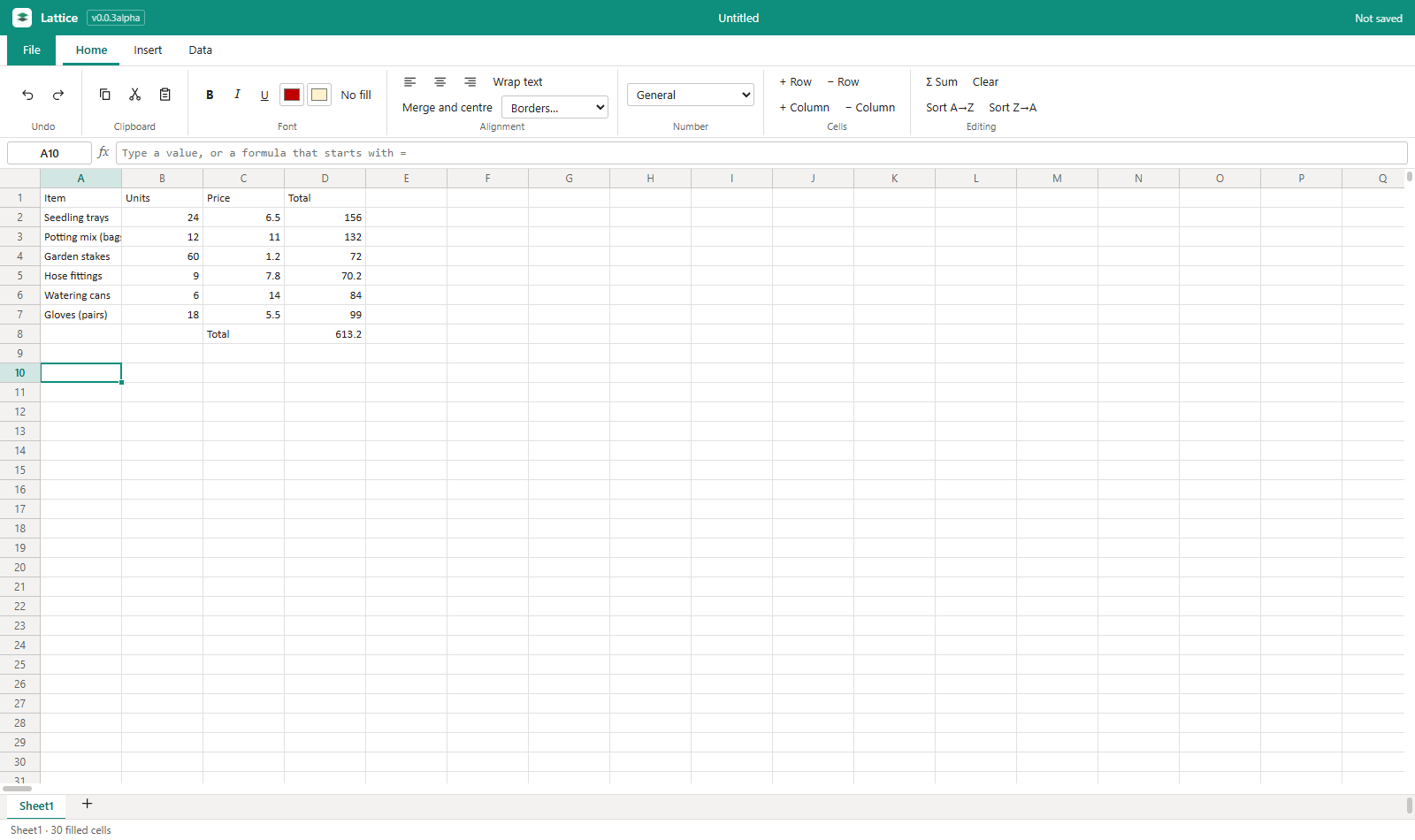
Works with your files
Lattice opens and saves Excel (.xlsx) files. A file from another program opens as a copy, so the original is never changed, and the app lists anything in it that it has no place for yet. It has been checked against LibreOffice; it has not yet been checked in Microsoft Office itself.
How to get it
Lattice is installed from the NylonLabs hub. See the download page.
Changelog
0.0.4-alpha (2026-10-14)
- Filter by fill colour. The arrow on a filtered heading now also lists the fill colours used in that column, each with its row count. Untick a colour to hide its rows, or press Show only coloured rows to hide every row without a fill. Works together with the value filter, and Show all rows clears both.
- A sheet does not yet keep a colour filter when it is saved as an Excel file; the rows come back shown.
0.0.3-alpha (2026-10-12)
- Bigger sheets. A sheet is now 20,000 rows by 702 columns (A to ZZ), up from 1,000 by 26. Only the part in view is drawn, so large sheets stay quick.
- Filters. Data › Filter puts an arrow on each heading of a table. The arrow sorts the table by that column or lets you tick the values to show; the status bar says how many rows are showing. Kept in Excel files.
- Freeze rows and columns. Data › Freeze here keeps the rows above and the columns left of the selected cell in view while the rest scrolls; there are also Top row and First column. Kept in Excel files.
- Drop-down lists and data checks. Data › Data check limits what can be typed in the selected cells: a choice from a list (typed in, or taken from a range of cells), a number or whole-number range, or a date range. A cell with a list shows an arrow (or press Alt+Down). Kept in Excel files.
- Formulas across sheets. A formula can use cells on another sheet:
=Sales!B2,=SUM('Year 1'!B2:B9). While typing a formula, click another sheet's tab and click or drag over its cells to put them in. Renaming a sheet, or adding and removing rows and columns, keeps these formulas pointing at the right cells. - About 100 more functions (136 in all): VLOOKUP, HLOOKUP, XLOOKUP, INDEX, MATCH, CHOOSE; SUMIFS, COUNTIFS, AVERAGEIF(S), MAXIFS, MINIFS; IFS, SWITCH, IFNA, XOR and the IS… checks; SUMPRODUCT, CEILING, FLOOR, MROUND, TRUNC, LOG, EXP, trigonometry; STDEV, VAR, MODE, LARGE, SMALL, RANK, PERCENTILE, QUARTILE, CORREL; FIND, SEARCH, SUBSTITUTE, REPLACE, TEXT, VALUE, PROPER, TEXTJOIN; DATE, YEAR, MONTH, DAY, WEEKDAY, EDATE, EOMONTH, DATEDIF, NETWORKDAYS, WORKDAY; PMT, FV, PV, NPV. Conditions take wildcards (
"a*"). - Dates you can type.
12/10/2026(day first) or2026-10-12is a real date: it sorts, filters and can be added to (=A1+30).50%and$12.50typed into a plain cell keep their look. TODAY and NOW now give real dates. - Merge and centre, borders, wrap text, row heights. Home › Alignment has Merge and centre, Wrap text and a Borders list (all, outside, bottom, top, none). Drag the lower edge of a row number to set its height; double-click the edge of a column letter to fit the column. All kept in Excel files.
- Fill handle. Drag the small square at the corner of the selection to fill down, up or sideways: formulas are copied,
1, 2carries on as3, 4, and days, months, dates and text that ends in a number (Item 1) continue. Ctrl+D fills down, Ctrl+R fills right. - Charts. A new scatter chart; charts can have a title and axis labels (the pencil on the chart). Charts are now written into Excel files and read from them (bar, line, pie and scatter).
- Excel files: formulas that use newer Excel functions (XLOOKUP, IFS, TEXTJOIN and others) are stored the way Excel expects.
- Checked by saving a workbook with all of the above, opening and re-saving it in LibreOffice, and reading it back: everything came through. Not yet opened in Microsoft Excel itself.
- Not in this version: colour rules, print setup, named ranges, pivot tables, and number or date filters such as "greater than".
- Fixed: the window opens at the size and place it had when it was last closed, and maximised if it was maximised.
0.0.2-alpha (2026-10-12)
- Excel workbooks. Lattice opens and saves
.xlsxfiles. Kept both ways: every sheet and its name, numbers, text and true/false, formulas (with their last value beside them, as Excel expects), bold, italic and underline, text and fill colours (theme colours too), alignment, number formats, and column widths. - Formulas it cannot work out yet keep their last value (a function Lattice does not have, or a formula that points at another sheet), and the yellow bar says how many. It also says what else is not kept: merged cells, charts, pictures, colour rules, drop-down lists, filters, frozen rows, comments, named ranges, pivot tables.
- The original is safe. A file from another program opens as a copy: the first Save asks where to put your version.
- 1,000 rows a sheet (was 200).
- Dates. A new number format, Date, shows a day number as 12/10/2026; dates in Excel files arrive as dates.
- Text that looks like a number stays text: start it with an apostrophe (
'007), as in other spreadsheets. Excel text such as phone numbers and codes keeps its leading zeros. - File › Save as now asks for the file type. Charts are not written into Excel files yet (the app says so when it matters).
- The app reads and writes the files with its own code. Checked with a file built the way Excel writes them and one made by LibreOffice; LibreOffice opens the files Lattice writes and works out the formulas. Not yet opened in Microsoft Excel itself.
0.0.1-alpha (2026-10-12)
- First version: a spreadsheet with an Office-style ribbon. 200 rows by 26 columns per sheet (1,000 rows since 0.0.2), formulas with about 36 functions, number formats, copy and paste that moves cell references, insert and delete rows and columns, sort, AutoSum, several sheets, bar / line / pie charts.
- Files:
.lattice, CSV in and out; saves PDF; prints. - Runs on Windows (its own installer) and in a browser (Chromebooks and other computers), with the same pages and the same icons on both.
- Free for everyone. Not in it yet: Excel files (.xlsx), filters, pivot tables, conditional formats.