
Apps › Pegline
Pegline
Task boards: cards in columns for a team, a class or one project.
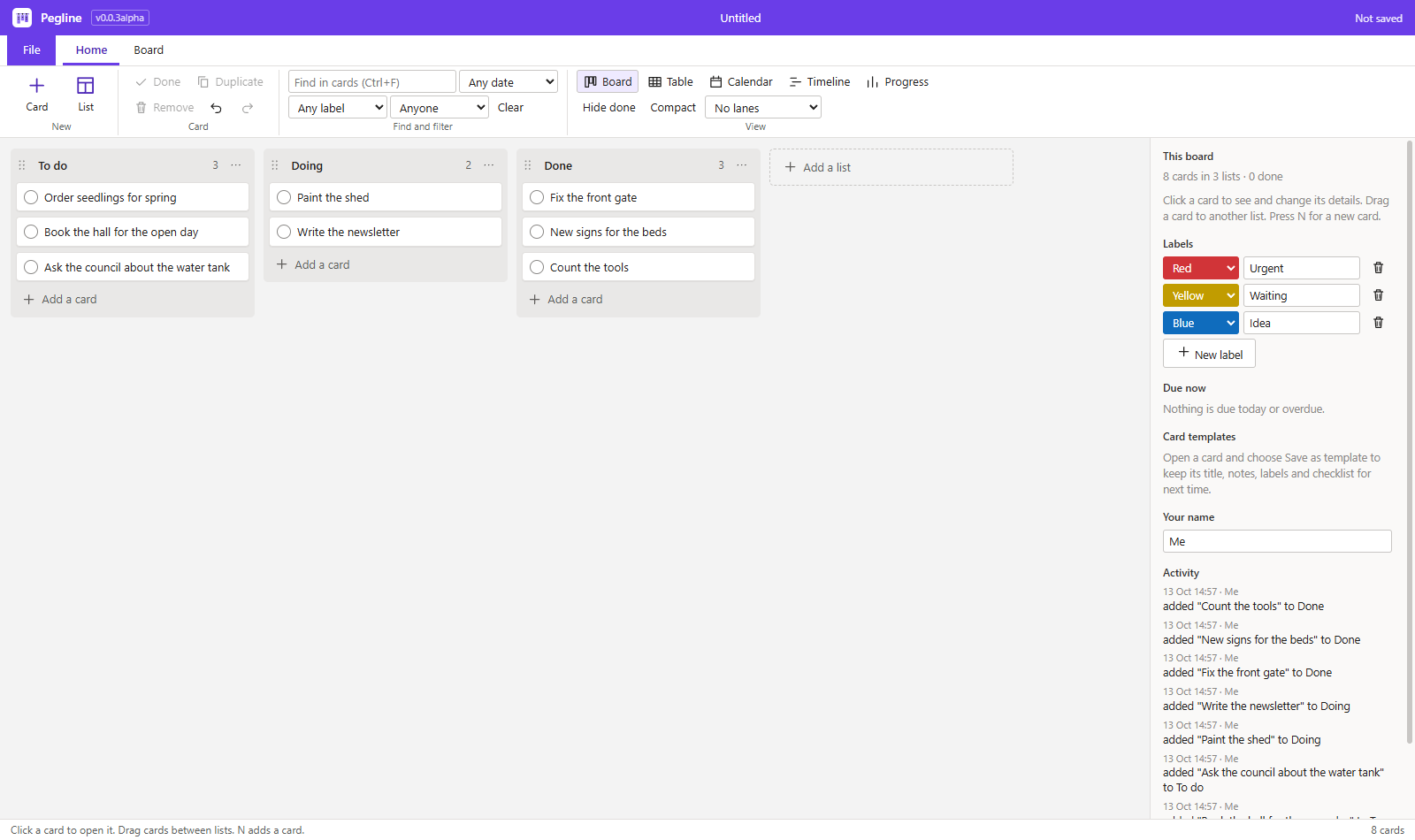
Where it is up to
This app is being built. It is not offered in the hub yet.
Changelog
0.0.3-alpha (2026-10-12)
More ways to see a board, more on a card, and boards that several people can work on.
- Calendar view. Cards on their due day, a month or a week at a time. Drag a card to another day to change its date; double-click a day to add a card due then.
- Timeline view. Cards as bars from their start date to their due date, grouped by list. Drag a bar sideways to move its dates. Cards have a new Start date.
- Progress page. The board in numbers: cards, done, overdue, due in 7 days, done in the last 7 days and checklist items ticked, then bars by list, label and person and the cards that need attention.
- Lanes. Rows across the board, one for each label or each person. Dragging a card to another lane changes its label or its person.
- Reminders. A board says which cards are due today or overdue when it opens, with a notice from Windows, and lists them under Due now. Reminders can be switched off on the Board tab.
- Links, files and pictures on a card. Paste a web link, attach a file (kept by its place on the computer) or add a picture. Pictures are made small and saved inside the board, and the first one shows as the card's cover.
- Comments and activity. Dated comments on a card, with your name, and a list of what happened on the board: cards added, moved, finished and removed, and by whom.
- Repeating cards. A card can repeat every day, week, two weeks or month: when it is marked done, the next one appears with its new due date and a fresh checklist.
- Card templates. Save a card's title, notes, labels and checklist as a template and start new cards from it.
- Rules. Cards moved to a list you choose are marked done; a card whose checklist is all ticked is marked done or moved to a list; overdue cards get a label.
- Boards in a shared folder. When someone else saves a board you have open, their changes are merged with yours card by card and field by field, so neither person's work is written over. If both changed the same field, yours is kept and the app says so.
- Trello layout and task lists. Save a copy in the layout of a Trello board file. Open task lists saved as CSV: Microsoft Planner and Outlook column names are understood, and so is any sheet with a title column. Dates such as 25/12/2026 are read day first.
- In a browser. Pegline also runs as a web page that can be installed, for Chromebooks and other computers. In the browser a card holds links and pictures, not files.
- Boards changed from the command line are listed in the activity too.
- Fixed: the window opens at the size and place it had when it was last closed, and maximised if it was maximised.
0.0.2-alpha (2026-10-12)
Boards that keep themselves up to date.
- A board updates by itself when its file changes on disk. The open card, the filters and the view stay as they are. If you have changes that are not saved yet, nothing is loaded: a bar says the file changed, so nothing of yours is lost.
- Boards from the command line (
pegline/cli.js): show a board, add and move cards, mark cards done, tick checklist items. - Scribe, Lattice, Podium and Gable get the same warning bar when their open file is changed by another program (they do not reload by themselves).
0.0.1-alpha (2026-10-12)
The first version.
- Boards: cards in lists. Drag a card to another list or to another place in its list; drag a list by its handle to move it. Lists can be renamed, given a card limit (the count turns red when it is passed), moved and removed.
- Cards: title, notes, labels, due date, person and a checklist. Mark a card done with its round button. Duplicate and remove. Overdue dates are red, today's are yellow.
- Labels: each board has its own, with a name and one of nine colours.
- Find and filter: search every card's text, or show only one label, one person, overdue cards, cards due in 7 days or cards with no date. Hide done cards. Compact cards.
- Table view: every card in one table, sorted by any column.
- Starting lists: To do / Doing / Done, Week planner, Class project, Sales follow-up, Jobs for a trade.
- Keys: N new card, arrows move between cards, Ctrl+arrows move the card, Space marks it done, Delete removes it, Ctrl+D duplicates, Ctrl+F finds, Ctrl+Z and Ctrl+Y undo and redo.
- Files: boards save as .pegline files on this computer. A board exported from Trello as JSON opens as a copy (lists, cards, labels, due dates, checklists and the first person on each card; attachments and comments are not kept, and the app says so). Save a copy as a CSV spreadsheet or plain text. Print and Export as PDF.
- Works without the internet and sends nothing anywhere.