
Apps › Podium
Podium
Slides and presentations for the classroom and the meeting room.
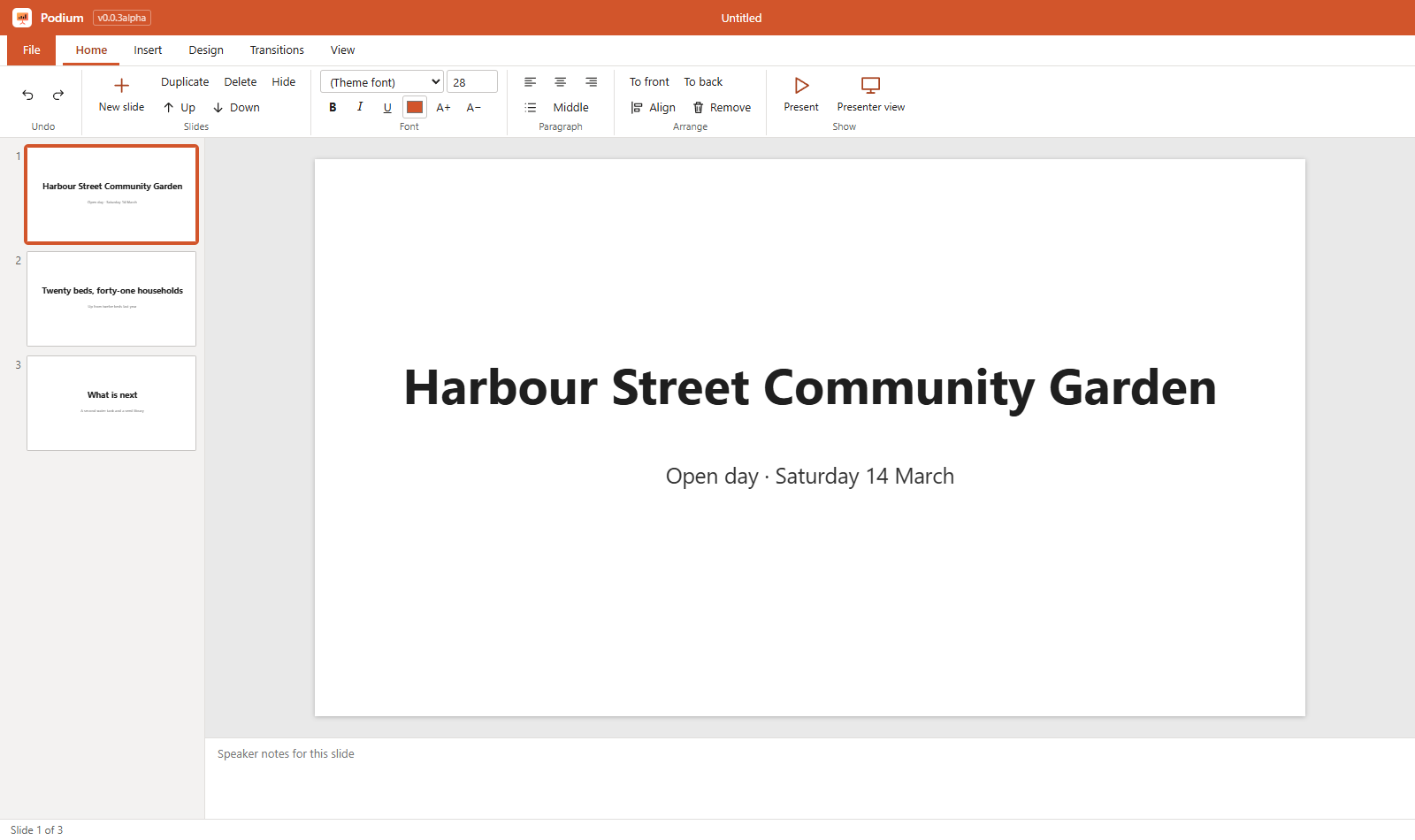
Works with your files
Podium opens and saves PowerPoint (.pptx) files. A file from another program opens as a copy, so the original is never changed, and the app lists anything in it that it has no place for yet. It has been checked against LibreOffice; it has not yet been checked in Microsoft Office itself.
How to get it
Podium is installed from the NylonLabs hub. See the download page.
Changelog
0.0.3-alpha (2026-10-13)
- Slide transitions. The new Transitions tab gives a slide a fade, push or wipe as it arrives, at fast, medium or slow speed; Apply to all slides copies it to every slide. Kept in PowerPoint files.
- Pointer and pen in the show. L turns on a red pointer dot that follows the mouse; P turns on a pen to draw on the slide (E rubs the marks out; they stay with their slide until the show ends); B blanks the screen to black and W to white. Esc puts the tool down, then ends the show. The same buttons sit at the lower left of the show and under the slide in presenter view.
- Tables. Insert › Table adds a table of up to 20 rows and 10 columns with a header row in the accent colour. Double-click a cell to type; Tab moves to the next cell and adds a row at the end. Rows and columns can be added and removed, and the header turned off. Kept in PowerPoint files.
- Lines, arrows and more shapes. Lines and arrows with a handle on each end (Shift keeps them level, upright or at 45 degrees), in any colour and thickness, with one or two arrow heads. Shapes now include a rounded box, triangle, diamond, star, block arrow and speech bubble. Double-click any shape to type inside it. All kept in PowerPoint files.
- Charts. Bar, line and pie charts drawn from a small grid of numbers (up to 12 rows and 5 sets), with a title. Double-click a chart, or use Insert › Edit data, to change it; the chart follows as you type. Written to PowerPoint files as real charts and read back from them.
- Align and snap guides. As you drag something, its edges and middle catch the edges and middle of the slide and of the other things on it, and a guide line shows where (hold Alt to switch this off). Shift+click or Ctrl+click selects several things; Home › Align lines them up left, centre, right, top, middle or bottom, or spaces three or more evenly. Ctrl+A selects everything on the slide.
- Slide sorter. View › Slide sorter shows every slide at once. Drag slides to reorder them; Ctrl+click and Shift+click select several; duplicate, hide or delete them together; double-click opens a slide.
- Hidden slides. A hidden slide stays in the presentation but is left out of the show. Kept in PowerPoint files.
- Slide master. Design › Slide master sets the title font, text font, the four colours (background, titles, text, accent) and a logo in a corner of every slide. Save as my theme keeps the set on this computer and adds it to the themes on the Design tab. A presentation saved by Podium as a PowerPoint file brings its master back when opened again.
- Several things can be moved, nudged, copied, pasted, deleted and sent to the front or back together.
- PowerPoint files: a table's header row is recognised in files from programs that do not mark it.
- Checked by saving a presentation with all of the above, opening and re-saving it in LibreOffice, and reading it back: shapes, text in shapes, lines, tables, charts, transitions, hidden slides and notes all came through. Not yet opened in Microsoft PowerPoint itself.
- Not in this version: animations inside a slide, notes pages as hand-outs, slides saved as pictures, merged table cells, and chart kinds other than bar, line and pie.
- Fixed: the window opens at the size and place it had when it was last closed, and maximised if it was maximised.
0.0.2-alpha (2026-10-12)
- PowerPoint presentations. Podium opens and saves
.pptxfiles. Kept both ways: every slide in order, its background (a colour or a picture), titles and text boxes with their place, size, font, colour, bold, italic and underline, alignment and bullets with their levels, pictures, rectangles and circles with their colour, and the speaker notes. - It follows the file's own design. Text that takes its size, colour, place or bullets from the slide layout, the master or the theme is shown the way PowerPoint shows it, and the fixed shapes a master draws on every slide are there too.
- It says what it does not keep: animations, transitions, charts, tables, SmartArt, video and sound, lines, and shapes other than rectangles and circles.
- The original is safe. A file from another program opens as a copy: the first Save asks where to put your version.
- A slide can have its own background, and a text box its own fill colour (both come in with PowerPoint files).
- File › Save as now asks for the file type.
- The app reads and writes the files with its own code. Checked with a deck built the way PowerPoint writes them; LibreOffice opens the decks Podium writes and Podium opens them again after LibreOffice saves them. Not yet opened in Microsoft PowerPoint itself.
0.0.1-alpha (2026-10-12)
- First version: slides with an Office-style ribbon. Six layouts, five themes, text, pictures and shapes you drag and resize, speaker notes, slide show (F5).
- Files:
.podium; saves PDF; prints. - Runs on Windows (its own installer) and in a browser (Chromebooks and other computers), with the same pages and the same icons on both.
- Free for everyone. Not in it yet: PowerPoint files (.pptx), animations and transitions, presenter view.