
Apps › Construct Exodia
Construct Exodia
Install and update Construct, Exodia IDE, the Construct extensions and Exodia Engine.
What it installs
Pick the parts you want when you install; add or remove them later with Modify parts.
- Construct runtime: runs, checks and converts Construct scripts (
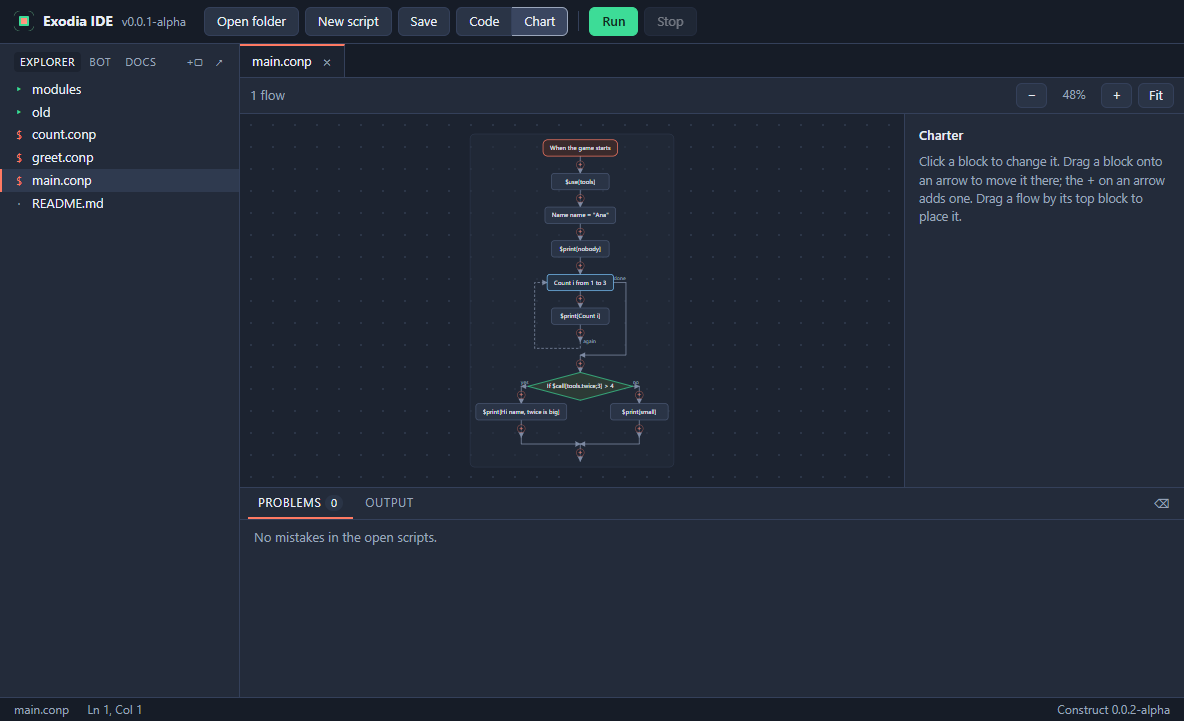
.conp). - Exodia IDE: write, check and run scripts, with Charter (your script as a flowchart you can edit), a run view that lights up what ran, and docs for each extension.
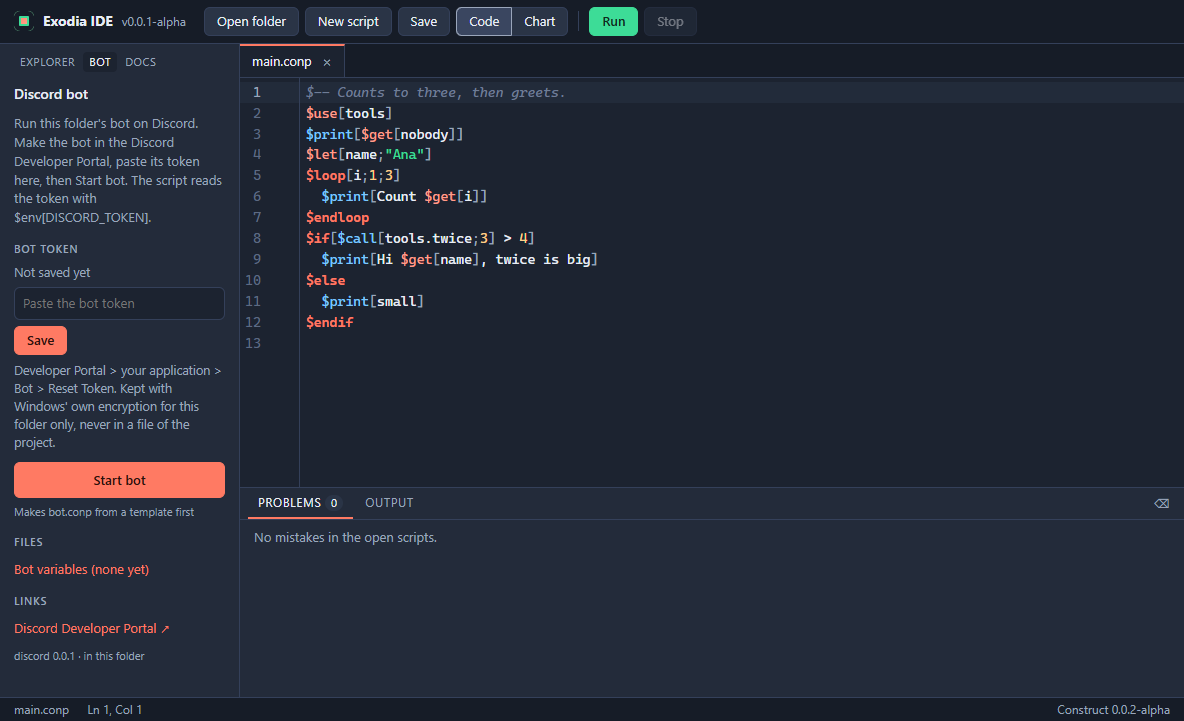
- discord.construct: Discord bots in Construct: slash and prefix commands, buttons, members, reactions and bot variables. Adds a Bot tab and a bot template to Exodia IDE, and converts bots made with the old Construct app.
- For developers: Exodia Engine and exodia.construct, for making and publishing games (a developer sign-in is needed).
How to get it
Construct Exodia is installed from the NylonLabs hub. See the download page.
Changelog
0.0.6-alpha (2026-11-06)
- New logo. Construct Exodia has its own icon, in the setup, the Start menu, the taskbar and its windows.
- Uninstalling removes the parts too. Removing Construct Exodia now also removes the parts it installed and their Start menu shortcuts, so installing it again starts with setup. Updates keep your parts.
- Setup comes back until it is finished. If setup was not completed, Construct Exodia opens setup again instead of the launcher.
0.0.5-alpha (2026-11-06)
- One installer. Setup opens straight into the Construct Exodia setup window: no second installer with its own pages first.
- A new look for setup. Parts are listed in groups with their versions and sizes, the whole row ticks a part, and Installing shows each part on its own line as it downloads and unpacks.
- Exodia IDE 0.0.2. Comes with this version as a part.
- Packages for Discord bots. Add extra parts to a bot with one line:
$use[discord/xp](XP and levels, role rewards, /rank),$use[discord/moderation](warnings, timeouts, a log channel) and$use[discord/canvas](welcome and rank cards as pictures). - discord.construct 0.0.2. Messages can carry files, bots can time members out and check what a member may do.
- Construct 0.0.3. Finds packages inside an extension and tells you clearly when a package needs a newer extension.
0.0.4-alpha (2026-11-05)
- Setup asks what to install. After the installer, a setup window walks you through Welcome, Choose parts, sign-in (only for developer parts), Installing and Finish.
- Developer parts in setup. Picking Exodia Engine or exodia.construct asks for your PoachRoblox sign-in and Developer Invite Key, unless your account already has developer access.
- Modify parts. A new button in Construct Exodia opens the same setup again to add, update or remove parts.
0.0.3-alpha (2026-11-05)
- A setup with pages. The installer now shows its steps, and when it finishes it asks whether to open Construct Exodia right away.
- Opens from NylonLabs. Construct Exodia can be downloaded, installed and opened from the NylonLabs hub.
- Faster Construct. Scripts run faster, most of all scripts that use tables.
- One key for 1 and "1". In a table, a number key and the same number written as text are now the same key, however you reach the table.
0.0.2-alpha (2026-11-05)
- Exodia IDE. Write, check and run Construct scripts with a chart view, a run view that shows which lines ran, a Bot tab for discord.construct and the extensions' docs. Install it from the parts list; it opens from the Start menu.
0.0.1-alpha (2026-11-05)
- First version. Install, update and remove the Construct runtime, its extensions and Exodia Engine from one place. Sign in for developer access to Exodia Engine.